

Product by Byteforge
MergeForge: resolve merge conflicts in three panes.
A JetBrains-style three-pane merge conflict resolver for VS Code and Cursor, with AI that reads your repository, not just the conflict.
Product by Byteforge
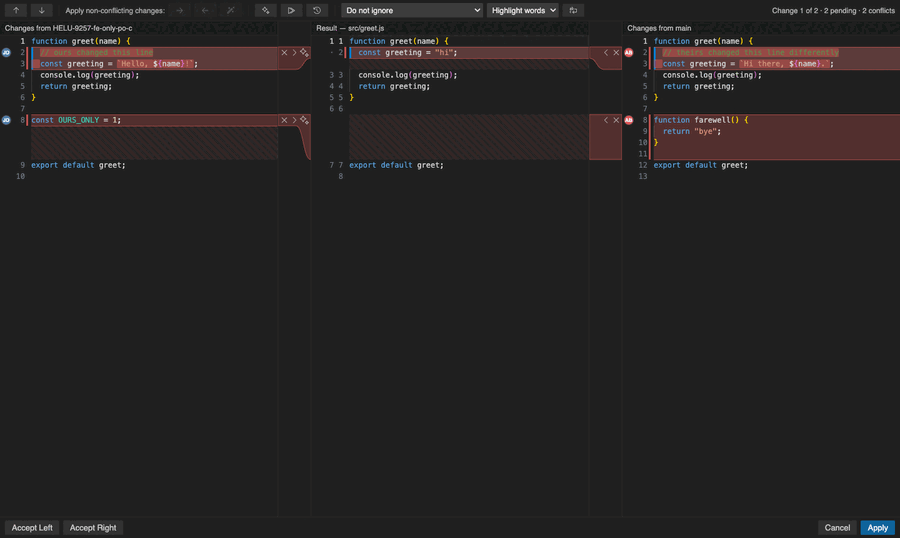
Three-pane merge editor
Your version, the editable result and theirs, scrolled together with JetBrains colours, gutter accepts and free editing of the blend.
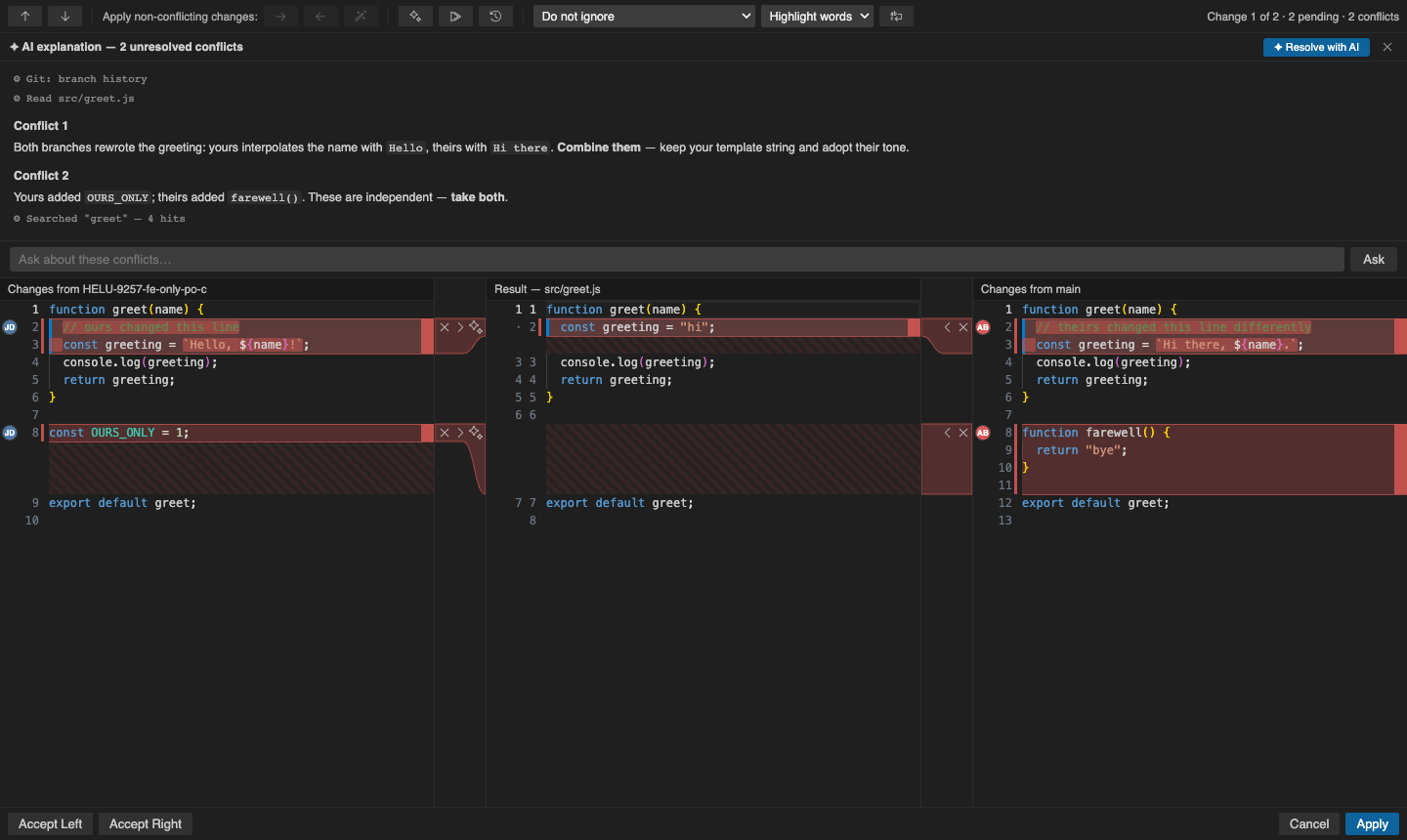
AI that reads the repo
Explain or resolve conflicts with Copilot or your own key. The model can search code and history; you review every write before Apply.
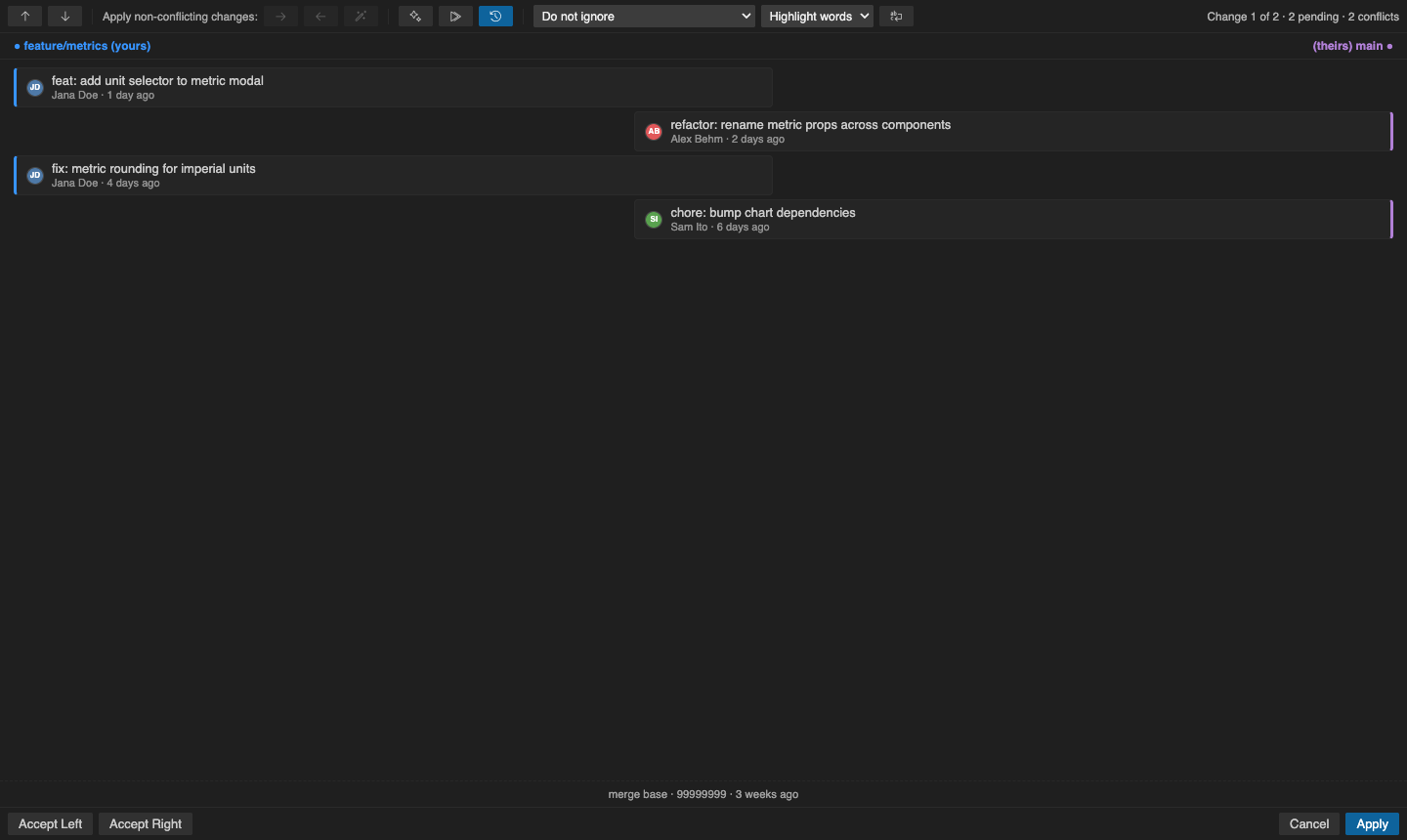
Authorship and history
See who last shaped each side, open commits, and flip to a two-lane timeline of the merge, then return with state intact.
Built for real merges
Conflicts dialog, status bar, next-file loop, crash-safe snapshots, and rebase and cherry-pick-aware panes so left is always your work.
Screenshots
Forged with the same rules as client work
Chunking is checked against real git merge-file output. AI stays optional and reviewable. The same practices we use on product systems apply here: clear boundaries, tested correctness and human ownership of the result. Read how git merge conflicts really work.
MergeForge
Resolve merges the way JetBrains users expect.
Install free from the VS Marketplace. Works in VS Code and Cursor.